Hot Topic
How To Clean And Sanitize Your Electronics Without Damaging Them

Want to keep your phones, laptops, and other devices free of germs without risking costly damage? In this guide, you'll discover simple, tested methods to clean every type of electronic device safely, so you can extend their lifespan and reduce the spread of everyday germs.
Why should you care about proper electronics cleaning, anyway? Harsh cleaners or rough methods can scratch screens, erode protective coatings, or even break internal components, turning a quick cleaning task into an expensive repair. But it's important to understand that you don't need specialized tools to get the job done right, as long as you follow a few core rules.
Why Proper Electronics Cleaning Is Worth Your Time
- Extend device lifespan: Regular removal of dust, oil, and grime prevents buildup that can clog vents, scratch screens, or wear down external coatings over time, helping your devices stay functional for longer.
- Reduce germ spread: Phones, keyboards, and remote controls can carry more germs than many common household surfaces, so regular sanitizing lowers your risk of picking up everyday illnesses from frequently touched items.
- Save on repair costs: Skipping improper cleaning methods that cause accidental damage means you won't have to pay for unexpected screen replacements or internal fixes caused by liquid seepage or harsh chemicals.
- Improve device performance: Removing dust from device vents and cooling fans prevents overheating, which can slow down laptops, gaming consoles, and other electronics and reduce their overall efficiency.
Step-by-Step Guide to Cleaning and Sanitizing Your Electronics Without Damage
Step 1: Power off and unplug all devices before cleaning
Start by turning off every electronic you plan to clean, and unplug any devices that are connected to a power source. Remove any cases, screen protectors, or detachable accessories so you can access every surface easily. This eliminates the risk of electric shock and prevents accidental button presses or software glitches while you work. Common mistake to avoid: Never clean a device that is still plugged in or turned on, even if you are using a small amount of cleaning solution.
Step 2: Gather appropriate cleaning supplies
Grab a lint-free microfiber cloth, which is soft enough to avoid scratching screens and surfaces, and a small amount of 70% isopropyl alcohol if you want to sanitize in addition to cleaning. Avoid paper towels, rough rags, bleach, window cleaner, or any harsh cleaning products that contain ammonia, as these can damage device coatings. You can also use compressed air (held at least 6 inches away) to blow dust out of crevices and keyboard gaps. Pro tip: If you are cleaning a screen with a special anti-glare or anti-fingerprint coating, stick to a dry microfiber cloth unless the manufacturer confirms alcohol is safe to use.
Step 3: Wipe smooth surfaces and screens gently
Lightly dampen the microfiber cloth with a tiny amount of isopropyl alcohol if you are sanitizing, or use it dry for basic dust removal. Wipe screens and smooth exterior surfaces in slow, circular motions, applying very light pressure to avoid putting stress on the screen or internal components. Never spray cleaning solution directly onto the device, as this can cause liquid to seep into openings through buttons, ports, or speaker grilles. Common mistake to avoid: Pressing hard on screens to remove stuck-on smudges, as this can damage the pixels under the glass surface.
Step 4: Clean crevices, ports, and keyboards carefully
For small gaps like keyboard keys, port openings, and speaker grilles, use the compressed air to blow away loose dust and crumbs, holding the can upright to prevent liquid from spraying out. For stuck-on dirt between keys, you can use a dry cotton swab to gently dislodge debris, taking care not to push it deeper into the device. If your keyboard has removable keycaps, you can pop them off (following manufacturer instructions) to clean the area underneath more thoroughly. Pro tip: Avoid using cotton swabs inside port openings, as the cotton can get stuck and cause connectivity issues later.
Step 5: Let devices dry completely before turning them back on
After wiping down all surfaces, leave all devices and accessories to air dry for at least 10 to 15 minutes before you plug them back in or turn them on. This ensures any residual moisture from the cleaning solution evaporates completely, so there is no risk of liquid damage when you restore power. If you removed cases or screen protectors, make sure those are also fully dry before reattaching them to the device. Common mistake to avoid: Using a hair dryer or other heat source to speed up drying, as excess heat can warp plastic components or damage internal batteries.
Challenges to Be Aware Of
- Specialized screen coatings: Some modern devices have anti-glare, anti-fingerprint, or oleophobic coatings that can wear away faster if exposed to alcohol or harsh cleaners, even in small amounts. If you are unsure what coating your device has, check the manufacturer's cleaning guidelines first, or stick to a dry microfiber cloth for regular cleaning to minimize risk.
- Hard-to-reach crevices: Dust and crumbs can get trapped in tight spaces like keyboard gaps, speaker grilles, and charging ports, and attempting to dig them out with sharp objects can scratch or break delicate internal components. Use only compressed air or soft, non-abrasive tools to remove debris from these areas, and avoid applying excessive force when cleaning small openings.
- Liquid seepage risk: Even a small amount of cleaning liquid can seep into device ports, buttons, or seams and cause internal corrosion or short circuits if it gets into contact with electronic parts. Always apply cleaning solution to your cloth, not directly to the device, and use only a very light amount of moisture to reduce this risk as much as possible.
Conclusion
You now have the foundation to start cleaning and sanitizing all your household electronics safely, without worrying about causing accidental damage. The steps outlined in this guide work for almost every common device, from smartphones and laptops to gaming consoles and kitchen appliances with digital displays.
Proper electronics cleaning offers a simple, low-cost way to extend the life of your devices and reduce germ spread in your home, and by mastering these basic methods, you're positioning yourself to avoid unnecessary repair costs and keep your tech working well for longer.
Don't wait for the perfect moment. Start with your most frequently used device (like your phone or laptop) today. As you get comfortable with these steps, you can expand your routine to cover every electronic in your home for a cleaner, safer space.
FAQ
How long does it take to clean a standard laptop or smartphone?
A basic cleaning for a smartphone takes around 5 to 10 minutes, while a full laptop clean (including keyboard and vents) may take 15 to 20 minutes total. If you are dealing with a lot of trapped dust in a keyboard or device case, you may want to add an extra 5 to 10 minutes to your timeline. Start with one device at a time to avoid feeling rushed, and work through your collection gradually as you have free time.
Do I need special cleaning products to sanitize my electronics safely?
You do not need specialized electronics cleaning products for most standard devices. A basic lint-free microfiber cloth and 70% isopropyl alcohol (for non-coated surfaces) work perfectly for most cleaning and sanitizing needs. If you have a device with a special screen coating, you can use a dry cloth for regular cleaning to preserve the coating longer. Stick to these affordable, easy-to-find supplies instead of buying expensive specialty cleaning kits.
What's the best way to remove stuck-on food or smudges from a device screen?
Start by using a dry microfiber cloth and gentle circular motions to lift the smudge, applying very light pressure to avoid damaging the screen. If the mark is still there, slightly dampen the edge of the cloth with a tiny amount of water or 70% isopropyl alcohol (for non-coated screens) and wipe the area again. Never use your fingernail or a sharp object to scrape at stuck-on debris, as this can scratch the glass permanently. Test the damp cloth on a small, unnoticeable corner of the screen first to make sure it does not cause damage.
Can I use these same cleaning methods for all electronics in my home?
These methods work for most common consumer electronics, including phones, laptops, tablets, keyboards, remote controls, and gaming consoles. For more specialized devices like camera lenses, TV screens with special coatings, or medical electronics, check the manufacturer's official cleaning guidelines first to confirm what products are safe to use. You can adjust the amount of moisture and pressure you use based on how delicate the device is. Always err on the side of using less moisture for more fragile devices to avoid accidental damage.

RECOMMEND ARTICLES

How To Learn Basic Calligraphy With Just A Pencil And Paper

How To Take Professional-Looking Photos With Your Smartphone: Easy Step-by-Step Guide

How To Plan A Stress-Free Weekend Camping Trip: A Simple Guide For All Skill Levels
How To Create A Professional Email Signature In 5 Minutes

How To Start A Daily Journaling Practice For Better Mental Clarity

How To Perfect Your Squat Form To Prevent Knee And Back Pain
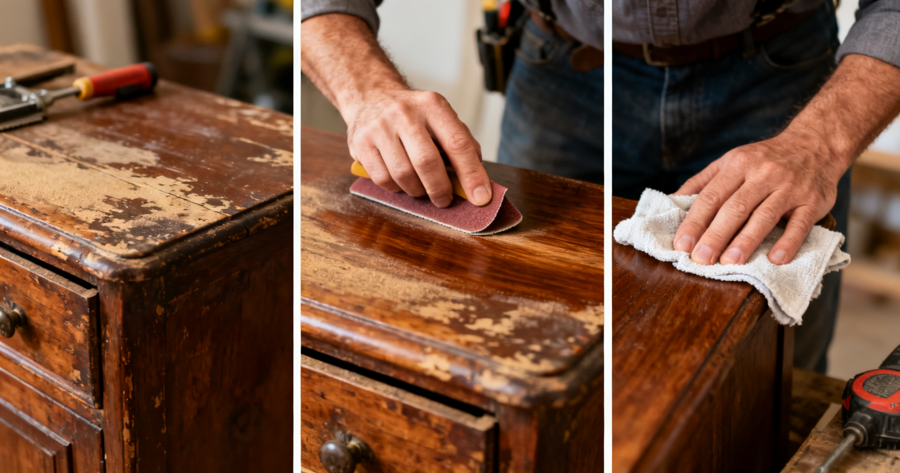
How To Restore Old Wooden Furniture With Basic Sanding And Polishing

How To Practice Mindfulness Meditation For Just Five Minutes A Day

How To Brew The Perfect Cup Of Pour-Over Coffee At Home
How To Build A Second Brain Using Notion For Personal Knowledge Management
Most Read

How To Hang Heavy Pictures Without Damaging Your Walls: Complete Step-by-Step Guide

How To Master Smart Trading, Saving & Event Tips For Roblox Adopt Me Success

How To Find And Collect Avatar World Secret Pets
How To Create And Use A Mobile Phone Battery Emoji Pack: A Complete Guide For All Users

How To Earn Coins Quickly In Grow A Garden: A Step-by-Step Guide