Hot Topic
How To Set Up A Minimalist Digital Workspace To Boost Focus

Ready to cut through digital clutter and get more done in less time? In this guide, you’ll discover simple, actionable steps to build a minimalist digital workspace that cuts distractions and supports sustained focus. You’ll walk away with a system tailored to your work style that helps you stay on task every day.
Why should you care about optimizing your digital workspace right now? Cluttered desktops, constant app notifications, and scattered files can steal up to 2 hours of your productive time each day. But it’s important to understand that you don’t need fancy tools or complex systems to fix this — small, intentional changes make the biggest difference.
Why Set Up a Minimalist Digital Workspace Is Worth Your Time
- Reduced decision fatigue: A clutter-free digital environment eliminates the mental load of sorting through irrelevant tabs, files, and notifications every time you open your device. This lets you direct more energy toward your actual work, rather than navigating chaos.
- Faster task completion: When your tools and files are organized in a simple, logical structure, you spend far less time searching for what you need. This can cut time spent on routine administrative tasks by nearly 30% for most users.
- Lower stress levels: Constant visual clutter from unread messages, unused apps, and disorganized folders can contribute to subtle, ongoing stress throughout your workday. A minimalist setup creates a calmer digital environment that supports better mental well-being.
- Transferable productivity skills: The habits you build while designing your minimalist workspace apply to both professional and personal digital tasks. You can adapt the same organizing principles to manage your personal files, email inbox, and even social media usage.
Step-by-Step Guide to Setting Up a Minimalist Digital Workspace
Step 1: Audit your current digital tools and files
Start by listing every app, software, and file folder you use for work or personal tasks over a 3-day period. Note which tools you use regularly, which you open once a month or less, and which were installed by default that you have never touched. This audit will help you identify what actually adds value to your routine.
Pro tip: Sort your desktop files into three temporary folders: Keep, Archive, and Delete to make sorting faster.
Step 2: Remove unused tools and redundant files
Uninstall any apps or software you did not use during your 3-day audit, and delete or archive files that you have not accessed in 6 months or more. For files you are unsure about, move them to a dedicated archive folder that is stored outside your main desktop or home screen. This clears immediate visual clutter while still letting you access old files if needed.
Common mistake to avoid: Don’t delete work files related to long-term projects unless you confirm they are no longer needed by your team.
Step 3: Organize your remaining files with a simple naming system
Create a maximum of 5 top-level folders for your core work or personal categories, such as Active Projects, Reference Materials, and Personal Files. Use a consistent naming convention for all files, such as "ProjectName_Date_Description" to make searching faster. Avoid creating nested folders more than 3 levels deep, as this can make files hard to find later.
Pro tip: Use your device’s built-in search function to test how quickly you can find common files after setting up your system.
Step 4: Customize your home screen and desktop for minimalism
Set a plain, neutral wallpaper for your desktop and device home screens, and keep only the 3 to 5 most frequently used apps pinned to your dock or taskbar. Hide all other icons from your main desktop entirely, so you only see your wallpaper when no windows are open. This eliminates visual distraction the moment you turn on your device.
Step 5: Configure notification settings to reduce interruptions
Turn off all non-essential notifications for social media, games, and non-work apps during your core working hours. Use your device’s built-in focus mode to automatically pause these notifications on a set schedule, or use a separate browser profile for work tasks to avoid seeing personal app alerts while you work. You can check non-essential notifications during scheduled breaks instead.
Step 6: Test your new workspace and adjust as needed
Use your new minimalist setup for a full week, and note any points where you struggle to find files or access needed tools quickly. Tweak your folder structure or app pinning as needed to fit your unique work flow, rather than forcing yourself to stick to a system that doesn’t match your habits. Small adjustments in the first week will make the system feel natural long-term.
Challenges to Be Aware Of
- Initial time investment: Sorting through years of accumulated files and apps can take 2 to 4 hours of upfront work, which may feel like a drain on your free time. Break the task into 30-minute chunks over a few days to avoid burnout, and remember that the time you save later will far outweigh this initial effort.
- Temptation to add unnecessary tools: As you explore productivity tips, you may feel tempted to download new organizing apps or add extra features to your setup. Stick to the built-in tools on your device first, and only add new apps if they solve a specific, recurring problem you face. Too many tools will reintroduce the clutter you worked to remove.
- Maintaining the system over time: Without regular upkeep, files and apps will slowly accumulate and clutter up your workspace again. Schedule a 15-minute weekly check-in to sort new files, delete unused downloads, and make sure your system stays organized. This small routine will prevent you from having to do a full overhaul again later.
Conclusion
You now have the foundation to start setting up a minimalist digital workspace that fits your unique work style and needs. You don’t need to complete the entire process in one day to start seeing benefits, even small changes will help reduce distractions right away.
A minimalist digital workspace offers the chance to regain control of your time and cut down on unnecessary stress from digital clutter. By putting these simple steps into practice, you’re positioning yourself for more consistent focus and higher productivity every day.
Don’t wait for the perfect moment. Start your 3-day tool and file audit today. You’ll be surprised at how much lighter and more focused you feel once you clear out the digital chaos holding you back.
FAQ
How long does it take to set up a minimalist digital workspace?
Most people can complete the full setup process, including the initial audit and file sorting, in 2 to 4 hours spread across a few days. You will start seeing improvements in your focus after just the first 30 minutes of clearing unused files and apps. Adjust as you go for the first week to make sure the system fits your habits.
Do I need to buy expensive productivity software to build this workspace?
No, you can build a fully functional minimalist digital workspace using only the built-in tools on your computer or mobile device. Third-party organizing apps may add extra features, but they are not required to create a distraction-free environment. Start with the tools you already have before considering any paid options.
What's the best way to maintain my minimalist workspace long-term?
Schedule a 15-minute weekly check-in to sort new downloads, delete unused files, and make sure your folder structure stays organized. Avoid downloading new apps unless they solve a specific, recurring problem you face. You can also do a full audit every 3 months to remove any new tools or files you no longer need.
Can I adapt this setup for both work and personal device use?
Yes, you can easily adjust the system to separate work and personal files and apps on the same device. Use separate browser profiles, folder categories, and focus mode schedules for work and personal tasks to keep the two areas distinct. This lets you stay focused during work hours while still having easy access to personal tools when you need them.


RECOMMEND ARTICLES

How To Choose The Right Running Shoes For Your Foot Type

How To Perfect Your Squat Form To Prevent Knee And Back Pain

How To Stay Hydrated Throughout The Day: Practical Tips For People Who Forget To Drink Water

How To Repair A Small Hole In Drywall: A Step-by-Step Beginner’s Guide

How To Plan A Budget-Friendly Road Trip Without Missing The Best Sights
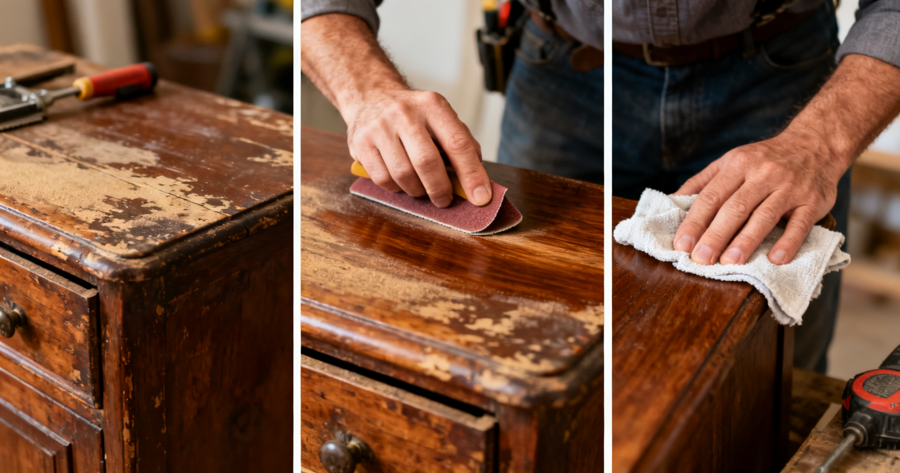
How To Restore Old Wooden Furniture With Basic Sanding And Polishing

How To Pack A Carry-On Bag For A Two-Week Trip Using Packing Cubes

How To Brew The Perfect Cup Of Pour-Over Coffee At Home

How To Overcome Decision Fatigue By Automating Your Daily Choices

How To Use AI Prompt Engineering To Automate Your Daily Workflow
Most Read

Secret Tactics To Dominate Five Nights At Freddy’s

Is A 7-Day Summer Trip To Fiji Worth Your Time And Budget In 2024?

The Reality Behind $300 Low-Income Senior Units

How To Play Steal A Brainrot: A Complete Beginner’s Guide

10 Women Of The Bible Who Shaped Faith And Courage!